FlashDown: 4K Video Downloader
- 4.5
- Rating
- 1.00M
- Installs
- Free
- Price

 Analysis by App-foxy
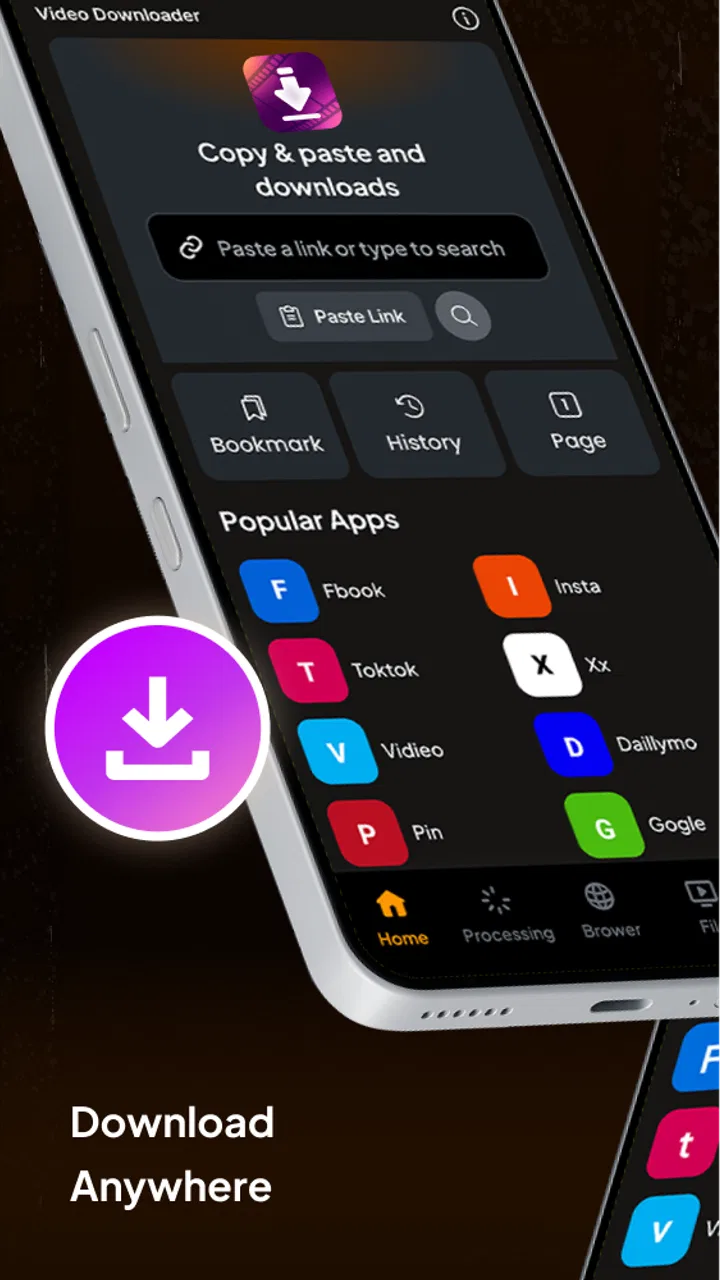
I approached FlashDown: 4K Video Downloader as a practical tool for the moment when a video needs to move from a screen into a more manageable creative workflow. It sits in the video players and editors category, and its focus is straightforward: saving video content and playing it back in one place. That sounds simple, but simplicity matters when I am collecting references, checking footage away from a connection, or preparing material before an edit.
My overall impression is that FlashDown is more useful as a quick capture-and-review utility than as a complete production suite. It does not replace a serious editor, a publishing platform, or a carefully organized media library. What it can do is reduce the friction between finding a video and having it available for later viewing or creative reference. For people who regularly work with visual material, that narrow purpose can be genuinely helpful.
From a creative idea to a usable video reference
The best place for this app in a creative process is near the beginning. When I am developing an idea, I often need to gather examples before I know exactly what the final project will look like. A video downloader can help turn scattered inspiration into a set of references that are easier to revisit. Instead of relying on memory or repeatedly searching for the same clip, I can keep the material available for review inside a video-focused app.
You May Also Like

 Blood Strike: 2.5 Anniversary
Blood Strike’s Loadouts Turn Every Drop Into a Tactical Gamble
A close look at Blood Strike’s custom loadouts: how fast access to signature weapons reshapes its battle royale rhythm, rewards preparation, and narrows the gap between fights.

 Pandora - Music & Podcasts
Pandora’s Music Is Easy to Start, but Harder to Recover
Pandora’s strength is its low-effort path from a seed to a station. Its weak spot is how much confidence it asks you to place in connection, setup, and quiet recovery.

 8 Ball Pool
 Is Built on Rivalries, Rematches, and Routine
A close look at the rivalries, rematches, shared routines, and unanswered safety questions that turn a quick pool match into a persistent mobile community.

 Samsung Music
’s Quiet Strength Is Playing What You Already Own
Its reach comes less from spectacle than from dependable access to a personal library. That simplicity is both the app’s strongest retention engine and its ceiling.

 AccuWeather: Weather Radar
AccuWeather Review: A Quick, Clear Forecast for Everyday Decisions
For everyday plans, the best forecast is the one you can understand quickly. AccuWeather makes rain timing, radar, and local conditions easy to act on, with a few trade-offs.

 Hill Climb Racing
Why Hill Climb Racing Still Turns Crashes Into One More Run
A tiny car, a bumpy hill and one more upgrade: Hill Climb Racing keeps resurfacing because its simple chaos makes every near-miss feel personal.
More From Our News Desk



That workflow is especially useful for planning short-form content, studying pacing, comparing visual approaches, or collecting examples of framing and transitions. FlashDown’s appeal comes from keeping the first step uncomplicated. Its store summary presents saving and playback as the central experience, rather than surrounding the user with a large editing interface before there is any footage to work with.
I would still use it responsibly. Saving a video for personal reference does not automatically grant permission to republish it, include it in a commercial project, or present it as original work. For a creator, that distinction is important. FlashDown can help with organization and review, but it does not solve licensing, attribution, or rights management. If the goal is a public upload, I would confirm that the source permits reuse before moving anything into a finished production.
One practical habit is to separate inspiration from usable source material. I would treat downloaded clips as references until I have checked their ownership and permitted use. That prevents a common mistake: building an edit around a convenient file and only later discovering that it cannot legally be published. In this role, the app is a starting-point tool, not a clearance system.
Where it fits before editing begins
FlashDown makes the most sense when the creative problem is access. Perhaps I am traveling, working in a place with unreliable connectivity, or preparing a presentation where I need to review examples without repeatedly loading them. Having a local copy available can make comparison faster and can help me notice details that are easy to miss during a quick online watch.
I also see value for people who create educational or commentary material. A creator may want to study how a tutorial explains a difficult idea, how a reviewer structures an opening, or how a filmmaker builds a visual rhythm. Downloading material for private analysis can make that study more deliberate. I can pause, replay, and compare sections without treating the original page as the only place where the work can be examined.
The trade-off is that a downloader can encourage accumulation. It is easy to save more clips than I will ever use. I would avoid turning the app into an unplanned archive by deciding what each saved video is for: reference, offline viewing, source checking, or a possible permitted asset. That small discipline keeps the creative process focused and makes later handoff less confusing.
Making, reviewing, and refining a video workflow
Once I have gathered material, FlashDown’s player becomes more relevant than its downloading function. The creative value is not only in obtaining a file; it is in being able to return to it while shaping an idea. I can review a reference before recording, compare it with my own draft, and decide whether the inspiration still supports the direction of the project.
For an everyday example, imagine I am preparing a short product demonstration. I find several videos showing different ways to introduce an item, save the ones I am allowed to keep for private study, and watch them again while outlining my own version. I might notice that one example explains the benefit immediately, while another spends too long on setup. That observation can influence my script before I record anything. The app does not make the video for me, but it can support better decisions before production begins.
Another useful workflow is checking visual continuity. If I am assembling a sequence with a particular mood, I can use saved references to compare lighting, camera movement, or the speed of cuts. This is more reliable than trying to remember what looked right during the first viewing. The important insight is that offline access is most valuable when it supports a decision, not when it simply increases the number of files on the device.
FlashDown should not be mistaken for an editor with a timeline, trimming tools, layered audio, captions, color controls, or publishing automation. I would use a dedicated editing application for those jobs. The strength here is earlier in the chain: capture, playback, and review. Trying to force it into the role of an all-in-one production environment would likely create frustration.
How I would handle iteration
Iteration is where many creative projects become messy. I find it helpful to keep the reference stage separate from the draft stage. Saved videos can inform the work, while the actual project files remain in the editor designed to create the final piece. FlashDown can sit beside that process as a viewing shelf, but it should not be the only place where important media is managed.
I would also review saved material before beginning a new edit rather than downloading everything at once. A smaller, intentional collection makes comparisons easier. If a clip no longer supports the concept, I would remove it from the working set and continue. This is a less obvious benefit of a focused player: it encourages me to examine the material itself instead of immediately opening a complicated editing workspace.
There is a practical limitation, though. A downloader and player may not provide the detailed metadata, tagging, project bins, or version history that a professional workflow needs. For a one-person project, that may be acceptable. For a team, it becomes more important to move selected assets into a shared and clearly labeled storage system. FlashDown is better suited to personal preparation than collaborative asset management.
Quality expectations also deserve attention. The name highlights 4K, but I would not assume that every source will become 4K simply because the app carries that label. The resulting quality depends on the source and the available version of that source. A low-resolution video cannot be turned into genuine high-resolution footage by downloading it. I would check the actual result before planning a large display, detailed crop, or professional delivery around it.
Playback as a quality-control step
Playback is useful for spotting problems before a reference enters the next stage. I would watch a saved file from beginning to end at least once, checking whether the image, sound, and duration behave as expected. A file that appears to have downloaded successfully may still be unsuitable for editing or presentation if its quality is lower than expected or if the source behaves differently from the online version.
This is also where I would decide whether FlashDown is enough for my particular workflow. If I only need to watch material later, its focused approach may be convenient. If I need to convert formats, extract audio, create proxy files, organize a large library, or prepare a polished delivery package, I would move to a more specialized desktop or mobile tool. The app can be one step in the process without being the entire process.
Moving from saved material to export and handoff
The handoff stage is where expectations need to stay realistic. FlashDown can help me obtain and inspect video, but the finished creative output still needs to be created and exported elsewhere when editing is required. I would select only the material that has a clear purpose, confirm that I have the right to use it, and then bring it into the editor or presentation tool that handles the final job.
For a simple offline viewing task, the handoff may end with playback on the same device. For a real project, I would treat the saved file as an input asset. That means checking its location, naming it clearly, and keeping a separate copy if the material matters. I would not rely on a single downloaded file as the only copy of an important source, especially when the project will be revisited later.
A good workflow is to keep three decisions separate: whether I can save the video, whether I can use it, and whether its technical quality suits the final destination. FlashDown addresses the first practical need and supports the third through playback, but the second remains a creator’s responsibility. That separation is one of the most important things to understand before using any downloader for publishing work.
The app is free to install, which makes trying this workflow easy. It also includes optional in-app purchases priced from $1.99 to $29.99 per item. I would begin with the free experience and only consider spending money if the app’s actual workflow removes a problem I regularly face. For occasional reference gathering, paying may not be necessary. For frequent use, I would judge any purchase by convenience and reliability rather than by the promise of a broader production system.
FlashDown is rated for Everyone, so it is positioned as an accessible general-purpose video utility. Its developer is Vitality AI, and the current version is 1.0.3. The app runs on Android 8.1 or later, which is useful for people using older compatible devices, although I would still pay attention to storage space and the capabilities of the specific phone. Video files can become large quickly, and available storage is a more immediate concern than the app’s basic installation requirement.
Who benefits most from this handoff style
I think the strongest audience is the individual creator who needs a quick bridge between watching and working. That includes students collecting visual references, social video makers studying formats, teachers preparing offline examples, and casual users who want a simpler way to revisit video material. These users may appreciate a focused tool more than a complex editor that asks them to manage a full project before they are ready.
I would be more cautious about recommending it as the central tool for an agency, production team, or creator with a large professional archive. Those users usually need consistent naming, collaborative access, detailed asset tracking, predictable export controls, and a clear separation between source files and deliverables. A dedicated media manager or desktop workflow would be a better foundation, with FlashDown used only for quick personal review if it fits the team’s policies.
I would also skip it if my main goal is editing rather than saving and watching. Someone looking for transitions, captions, voice-over recording, multi-track assembly, color correction, or direct publishing should choose an editor built around those tasks. The app’s value drops sharply when the user expects it to transform raw or saved video into a finished production.
My creator-focused verdict
FlashDown: 4K Video Downloader has a clear place in a creative workflow: it helps me capture video for later playback and use that material during research, planning, and review. I like that its purpose is easy to understand, and the combination of a free entry point with a video-player focus makes it approachable for personal projects. Its audience response is encouraging, with a 4.5 average from around 500 ratings and over a million installs, suggesting that the basic idea has found a substantial user base.
My recommendation comes with boundaries. I would use it as a preparation tool, not as my main editor, archive, rights manager, or delivery platform. I would verify permission before reusing anything, check the real quality of every saved file, and keep important project assets organized outside the app. Those steps prevent the most common disappointments and make the downloader genuinely useful instead of merely convenient.
If your creative process often begins with collecting video examples and ends with reviewing them before an edit, FlashDown is worth trying. It can shorten the distance between inspiration and practical reference, particularly when offline access matters. If you need a complete route from footage to polished publication, I would choose a dedicated editing solution instead. The app works best as a focused first step in video creation, not as the final destination.
FAQs for FlashDown: 4K Video Downloader
01What platforms does FlashDown: 4K Video Downloader support?
FlashDown: 4K Video Downloader is available for both Android and iOS devices, offering a seamless experience across platforms. Users can download it from the Google Play Store for Android or the Apple App Store for iOS. The app is designed to be compatible with a wide range of devices, ensuring accessibility for most users.
02Is FlashDown: 4K Video Downloader free to use?
FlashDown offers a basic version that is free to use, allowing users to download videos in standard definition. However, to unlock advanced features like 4K video downloading and ad-free experience, users may need to purchase a premium subscription. This ensures that users have options depending on their needs and budget.
03Can I download videos from any website using FlashDown?
FlashDown supports a wide array of popular video-sharing platforms, but it may not work with every website. The app is continuously updated to expand compatibility with various platforms. Users should check the app's website or support documentation for a list of supported sites to ensure their desired platform is included.
04Is FlashDown safe and legal to use?
FlashDown is designed with user safety in mind, offering secure downloads without compromising device security. However, users should ensure they are downloading content legally and respecting copyright laws. The app should be used to download videos for personal use only, and users are responsible for how they use the downloaded content.
05How user-friendly is FlashDown: 4K Video Downloader?
FlashDown is designed with a user-friendly interface, making it easy for users of all tech levels to navigate. The app features intuitive controls and clear instructions for downloading videos, ensuring a smooth user experience. Additionally, the app provides customer support and detailed FAQs to assist users with any issues that may arise.
Pros
- Supports 4K video downloads effortlessly.
- Intuitive user interface simplifies navigation.
- Fast download speeds save time.
- Allows batch downloading of multiple files.
- Compatible with various video platforms.
Cons
- May have occasional ads interrupting use.
- Limited support for certain video formats.
- Requires in-app purchases for premium features.
- No built-in media player for previewing files.
- Some users report minor app stability issues.

FlashDown: 4K Video Downloader
Gallery